The History
A client needs to check his SIM cards' balances. He can recieve 2 different types of messages when sending the USSD request:
- “Your balance is 40 USD and 50 cents”.
- ” Your balance is minus 40 USD and 50 cents”
Solution
We need to create USSD-template for balance check and assign it to the active tariff.
Using the power of regular expression, we can split the response with different types of answer into 2 types of the response processing:
- In the first case, we receive: “Your balance is 40 USD and 50 cents” message.
Example of USSD-processing algorythm:
Your balance is (?P<sim__balance_USD>-?\d+(\.\d*)?) USD and (?P<sim__balance_cents>-?\d+(\.\d*)?) cents
- In the second case, we receive “Your balance is minus 40 USD and 50 cents” message.
Example of USSD-processing algorythm:
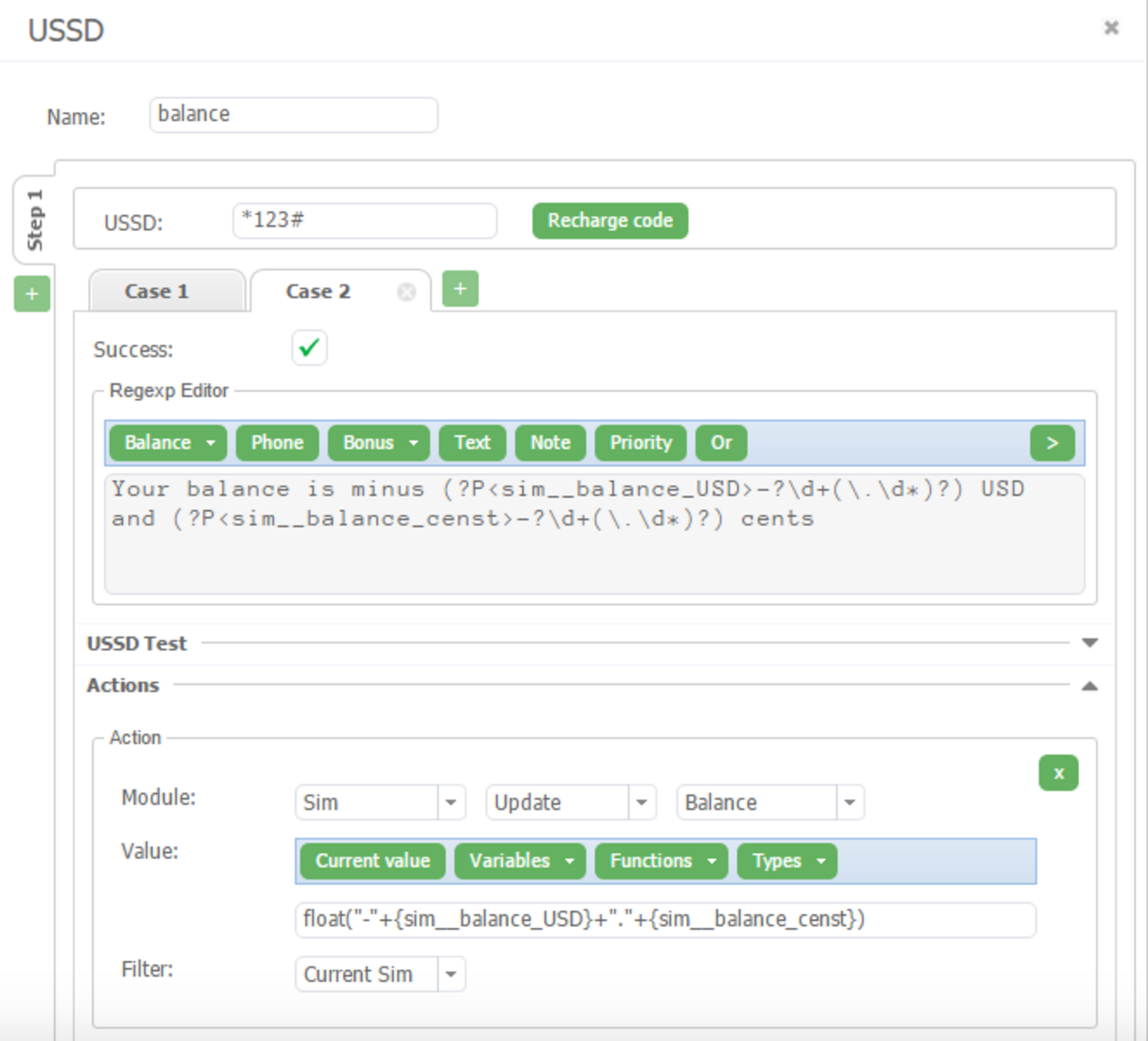
Your balance is minus (?P<s[pim__balance_USD>-?\d+(\.\d*)?) USD and (?P<sim__balance_censt>-?\d+(\.\d*)?) cents
The logic of input the values with floating point into the system
We split balance value to the 2 different variables:
- sim__balance__USD – for whole numbers
- sim_balance_cents – for digits after the decimal point
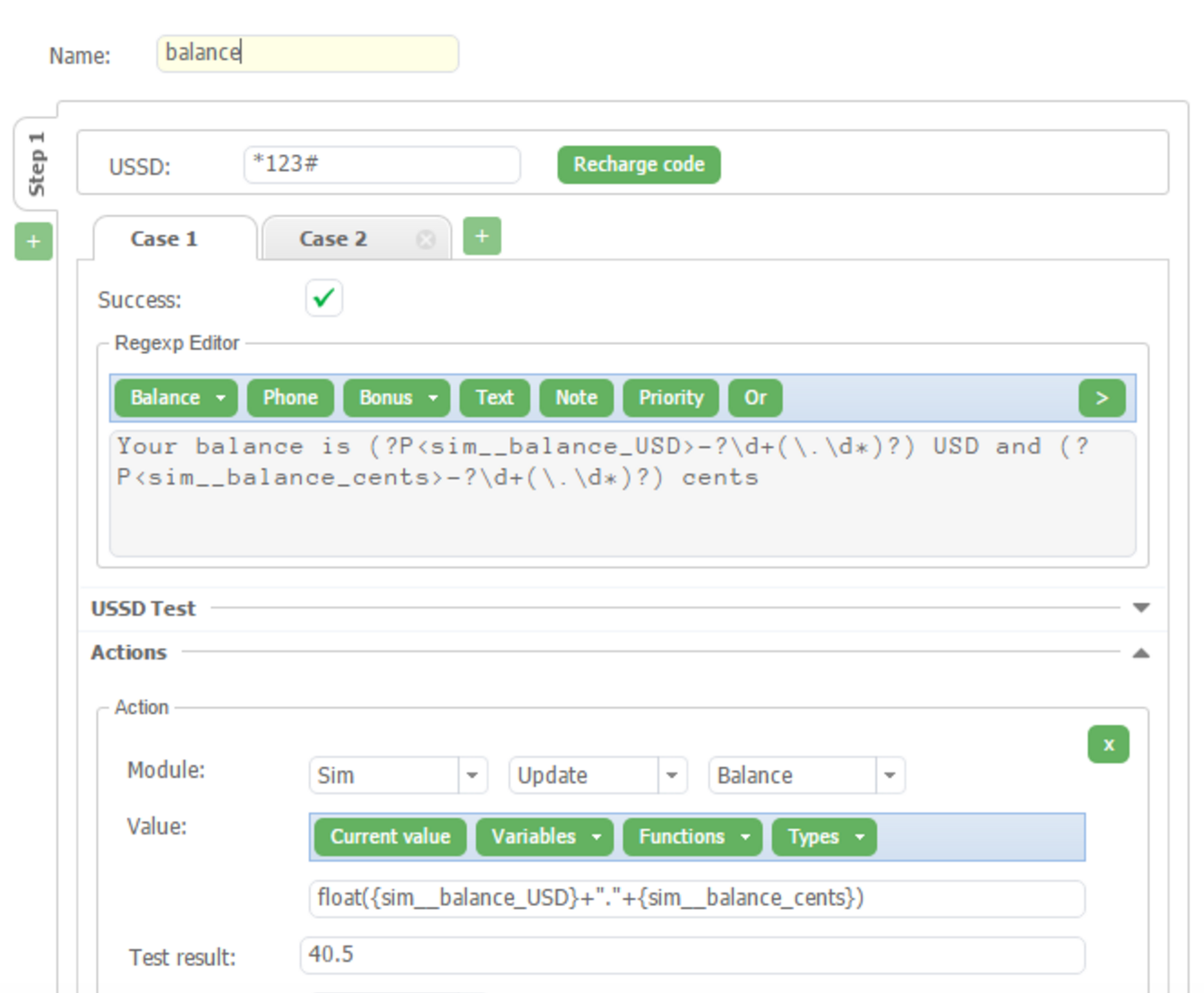
After parse, we transform this two values into the one float value using next expression.
- The first case: float({sim__balance_USD}+"."+{sim__balance_cents})
- The second case: float("-"+{sim__balance_USD}+"."{sim__balance_censt})
Let's see visual example.
First case:
Second case:
You don't know how to use this case?
– Fill in an application form for a free webinar and we will instruct you! Or you can start your presentation right now in our chat.






 26 NOV, 2019